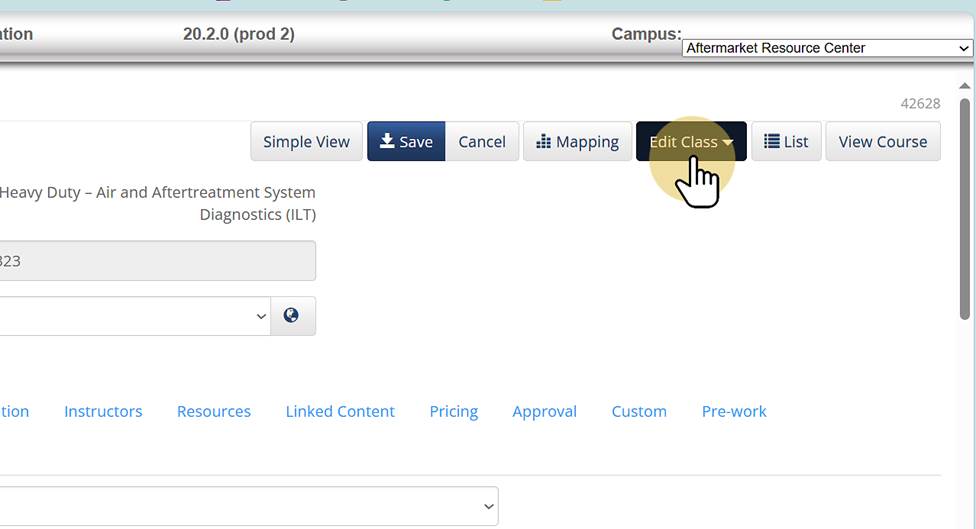
1. Edit Class |
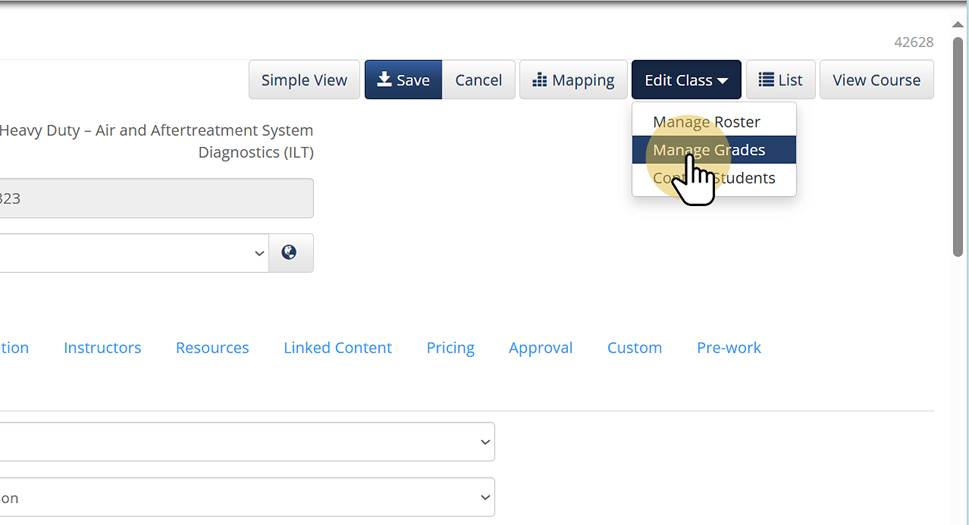
2. Manage Grades |
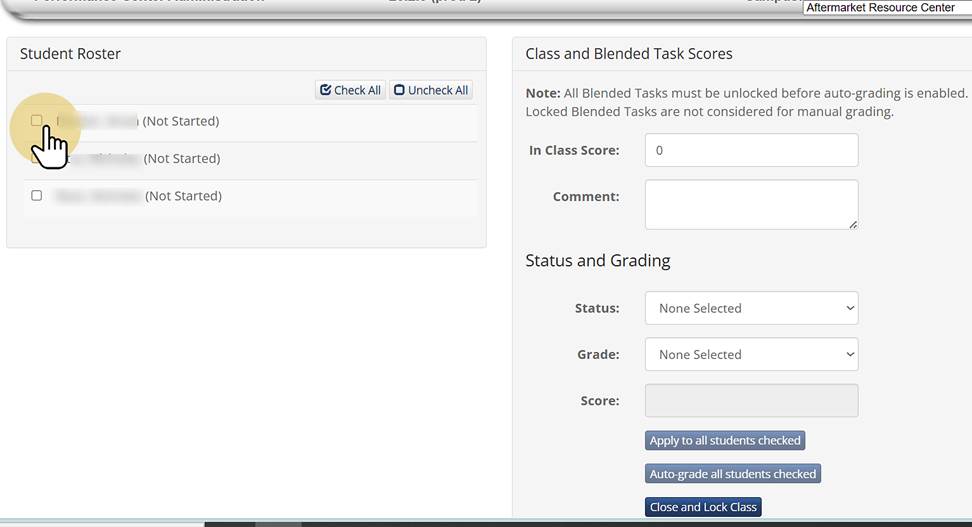
3. Check Mark next to the student's name |
4. Click the "i" inside the grey circle |
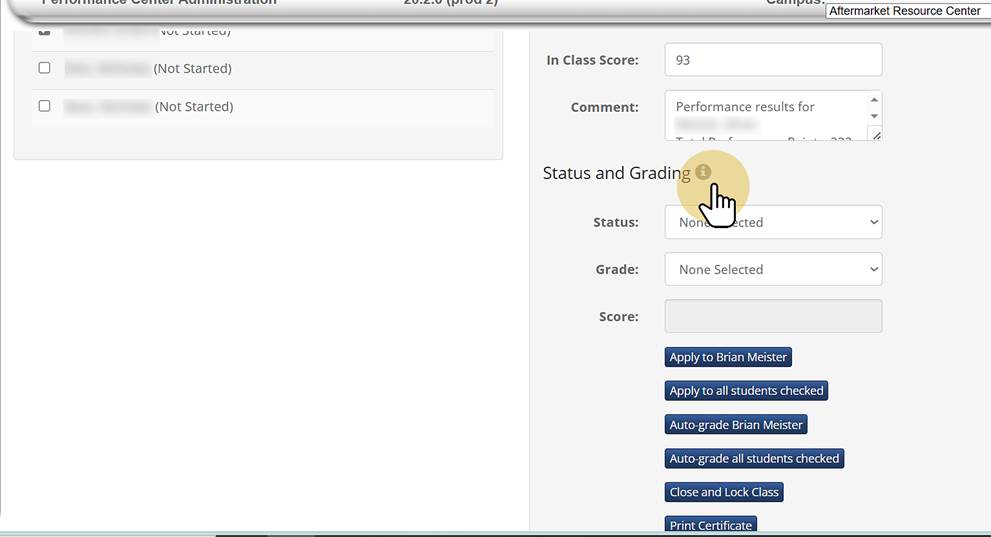
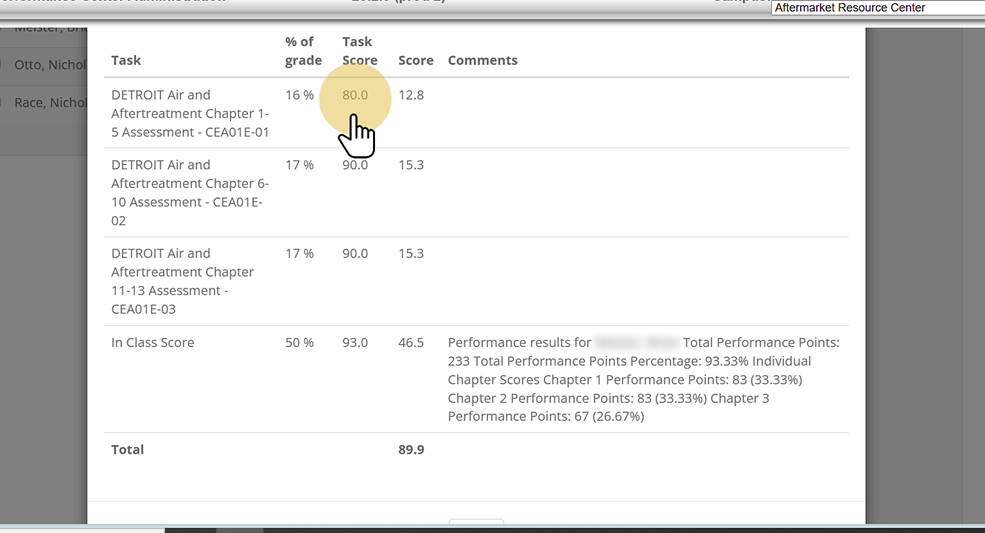
5. A box pops up with a breakdown of the student's chapter exam scores and In Class Score (if already entered) |
Was this article helpful?
That’s Great!
Thank you for your feedback
Sorry! We couldn't be helpful
Thank you for your feedback
Feedback sent
We appreciate your effort and will try to fix the article